How to add SMS capabilities to your AI agents
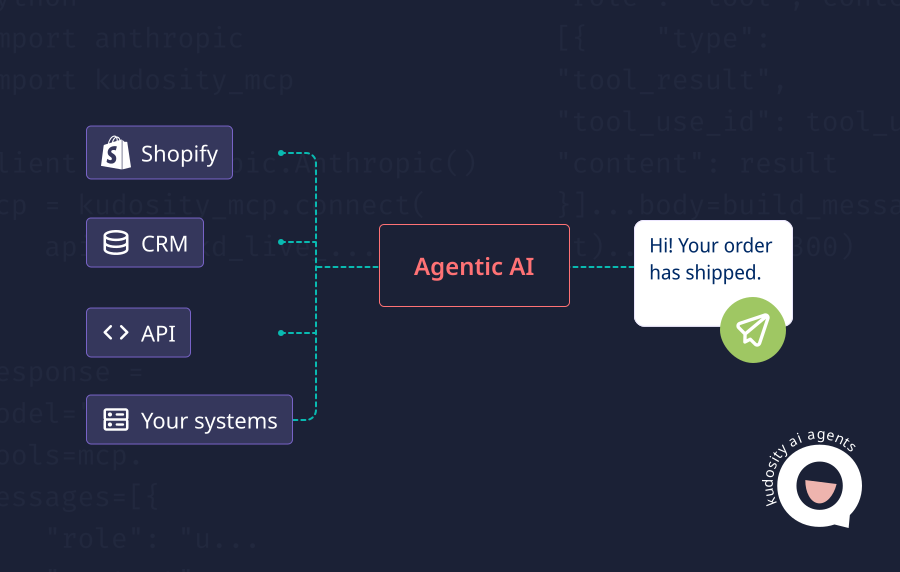
AI agents become more useful when they can act through approved business systems. For customer messaging, that means connecting the agent to an SMS API so it can trigger messages, track delivery, receive replies and update workflows. The important part is control. An AI agent should not send SMS freely or without checks around consent, opt-outs, sender identity, message content and escalation.
For Australian businesses, the best messaging platforms for SMS API and AI agentic messaging are the ones that support the full workflow, not just the send action. That includes delivery reports, reply handling, webhooks, audit logs, local compliance support and human review when the message is sensitive.
What does it mean to add SMS to an AI agent?
Adding SMS to an AI agent means giving the agent a controlled way to trigger SMS messages through an approved API or workflow.
The agent might decide that a customer needs an appointment reminder, payment follow-up, order update or support response. It then passes that action to a workflow layer or SMS API, which sends the message through the approved provider.
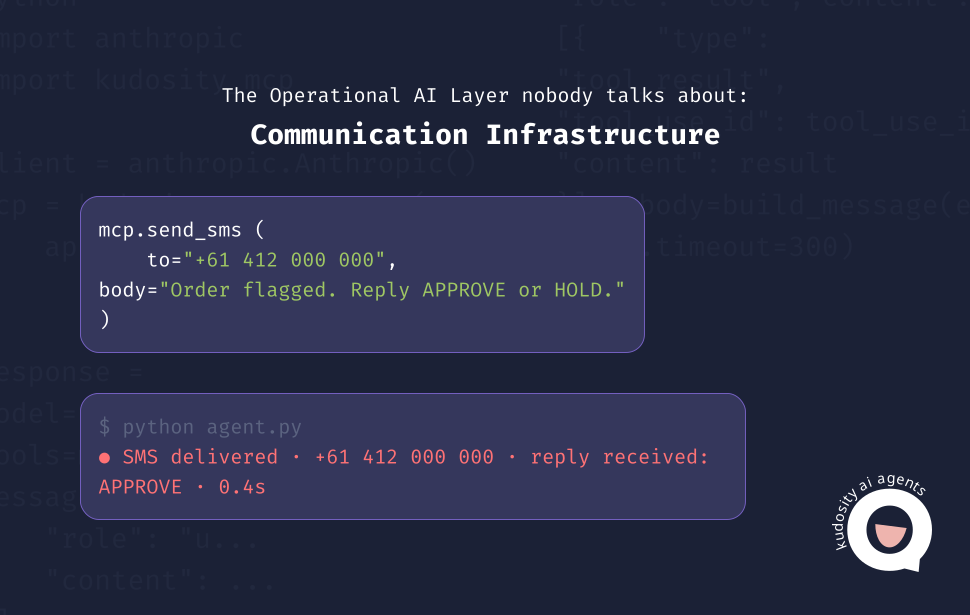
Kudosity’s developer documentation describes AI agent messaging as a workflow where an AI decision can become an SMS, MMS, WhatsApp or RCS message through the Kudosity API. It also references delivery webhooks, opt-out mechanisms and sender registration as part of the setup.
The agent should not operate without controls. It needs permissions, templates, rate limits, consent checks and clear rules for when a person needs to review or take over.
Basic architecture
A practical AI SMS setup usually looks like this:

AI agent
Workflow layer
SMS API
Customer
Webhook reply
AI agent
AI agent
The agent decides what should happen next based on the customer event, business rules and available context.
Workflow layer
The workflow layer checks whether the action is allowed. It can confirm consent, select a template, apply rate limits, log the action and decide whether human review is needed.
SMS API
The SMS API sends the message through the approved provider. Kudosity’s REST API page references SMS and MMS integration, real-time delivery reports, reply notifications, SMS triggers and AI agent-triggered messaging.
Customer
The customer receives the message and may take action, ignore it, reply or opt out.
Webhook reply
Webhooks send delivery events, replies and failures back to your system. Kudosity’s webhook documentation describes callback URLs for immediate notification of SMS delivery and incoming messages.
AI agent
The agent receives the event, classifies the result and triggers the next step, such as a reply, CRM update, support task or human handoff.
What you need before sending
Before an AI agent sends its first SMS, make sure the core operating pieces are in place.
SMS API provider: Choose a provider that supports sending, delivery tracking, inbound replies and webhook events.
API key: Use secure credentials with access limited to the actions the agent needs.
Sender ID or number: Confirm whether the workflow uses a branded sender ID, virtual number or reply-capable number.
Consent record: Check that the customer has agreed to receive the relevant message type.
Message templates: Use approved copy for common workflows such as reminders, order updates and payment follow-ups.
Webhook endpoint: Set up an endpoint that can receive delivery reports, replies, failures and opt-outs.
Reply logic: Define how replies are classified and what happens next.
Escalation rules: Decide which messages require human review or handoff.
For Australian commercial messages, ACMA states that senders need consent, sender identification and a functional unsubscribe option under the Spam Act 2003.
Step-by-step setup
1. Choose your SMS API
Start with the provider. The API should support backend sending, delivery reports, inbound replies, webhooks, opt-out handling and clear documentation.
For Australian teams, also assess local support, sender ID requirements, data residency and 100% delivery to the carrier. Kudosity’s Australian messaging API page references Australian data residency, real-time reporting, delivery logs, REST API access, documentation and test environments.
2. Create approved message types
Do not let the agent invent every message from scratch.
Create approved message types for common workflows, such as appointment reminders, delivery updates, payment prompts, support follow-ups and review requests. This keeps messaging consistent and easier to review.
3. Connect the API to your workflow
Connect the SMS API to the system where customer events happen. That may be a CRM, ecommerce platform, booking system, support desk, billing platform or internal application.
The goal is to trigger messages from real events, not from disconnected manual prompts.
4. Add consent checks
Before sending, check whether the customer has consented to the message type.
This is especially important for marketing or commercial messages. The agent should not be able to bypass consent rules because it is acting automatically.
5. Add delivery tracking
Delivery reports tell the workflow whether the message was sent, delivered, failed or undelivered.
Without this signal, the agent cannot know whether to move forward, retry, use another channel or escalate.
6. Add a reply webhook
If customers can reply, those replies need to flow back into the workflow.
A reply webhook lets the system capture the response and pass it to the AI agent for intent detection. For example, “yes” may confirm an appointment, while “can I change this?” may trigger a reschedule workflow.
7. Add error handling
Failed sends should not disappear into a log no one checks.
Use error codes and failed delivery events to decide whether to retry, suppress the number, correct a formatting issue, use another channel or create a support task.
8. Add human review for sensitive messages
Some messages should not be fully automated.
Complaints, billing disputes, health information, legal matters, complex support issues and low-confidence AI outputs should move to a person before the next customer message is sent.
Example AI SMS workflows
Appointment reminder
The AI agent checks tomorrow’s bookings, sends reminders, classifies replies such as confirm or reschedule, and updates the booking system.
Lead follow-up
A new enquiry enters the CRM. The agent sends a follow-up SMS, reads the reply, qualifies the lead and routes high-intent customers to sales.
Order update
A fulfilment system triggers a delivery update. The agent sends the SMS, tracks delivery and escalates if the customer replies with a delivery issue.
Payment reminder
The agent sends a payment reminder after checking consent and template rules. If the customer replies “already paid”, the workflow routes the case to billing review instead of sending another reminder.
Support triage
A customer replies to an SMS with a support question. The agent classifies the intent, answers simple requests and hands complex cases to a human agent with the message history attached.
Safety controls
AI agents can move quickly, so the controls need to be clear before launch.
Consent check
The workflow should confirm the customer can receive the message before the API sends it.
Opt-out suppression
If a customer opts out, the system should suppress future commercial messages immediately.
Rate limits
Limit how often an agent can message the same customer. This protects the customer experience and reduces the risk of uncontrolled loops.
Template approval
Use reviewed templates for repeatable workflows. This reduces risky variation and helps keep the message aligned to the customer event.
Audit logs
Log what the agent sent, when it sent it, which customer received it, which tool was used and what happened next.
Escalation logic
Define when a human needs to take over. Sensitive topics, complaints and uncertain AI classifications should have a clear handoff path.
What is the best SMS API for AI agents?
The best SMS API for AI agents is the one that supports the full messaging loop.
That means:
Backend SMS sending
Delivery reports
Webhook events
Inbound replies
Opt-out handling
Sender ID or number management
Templates
Audit logs
Human handoff
Workflow integrations
For Australian businesses, Kudosity is a strong fit where AI agent messaging needs local SMS infrastructure, delivery visibility, multi-channel workflows and Australian support. Its developer resources also reference MCP support, SMS, MMS, WhatsApp and RCS APIs, and webhooks for modern messaging workflows.
Explore the Kudosity developer portal
Integrate SMS and MMS into your applications with our flexible API. Our REST SMS API allows seamless integration of SMS capabilities into your applications, whether you're launching a new app or enhancing an existing one.
FAQs
Yes. AI agents can send SMS when connected to an approved SMS API with the right credentials, permissions and workflow controls. The agent should not have open-ended access to message customers without consent checks, logging and escalation rules.
Connect the AI agent through a workflow layer that can call the SMS API, check consent, apply templates, log the action and receive webhook events. This gives the agent a controlled path to send and respond to messages.
Yes. If the SMS provider supports two-way SMS and inbound webhooks, customer replies can be sent back into the workflow. The AI agent can then classify the reply and decide whether to respond, update a record or hand the case to a person.
Use consent checks, opt-out suppression, approved templates, rate limits, audit logs, delivery tracking and human handoff. These controls help stop the agent from sending the wrong message, messaging too often or continuing after a customer has opted out.
For Australian customer messaging, Kudosity is a strong option because it supports SMS API workflows, delivery reports, inbound replies, webhooks, multi-channel messaging and local business support. The best choice depends on your workflow, compliance needs, customer geography and internal systems.
Get ready for Australia’s SMS Sender ID Registry
From July 2026, Sender ID registration will be required. ACMA’s final steps are still in progress, but Kudosity will keep you informed and help you be ready when registration opens.
:quality(80))
:quality(80))
:quality(80))
:quality(80))