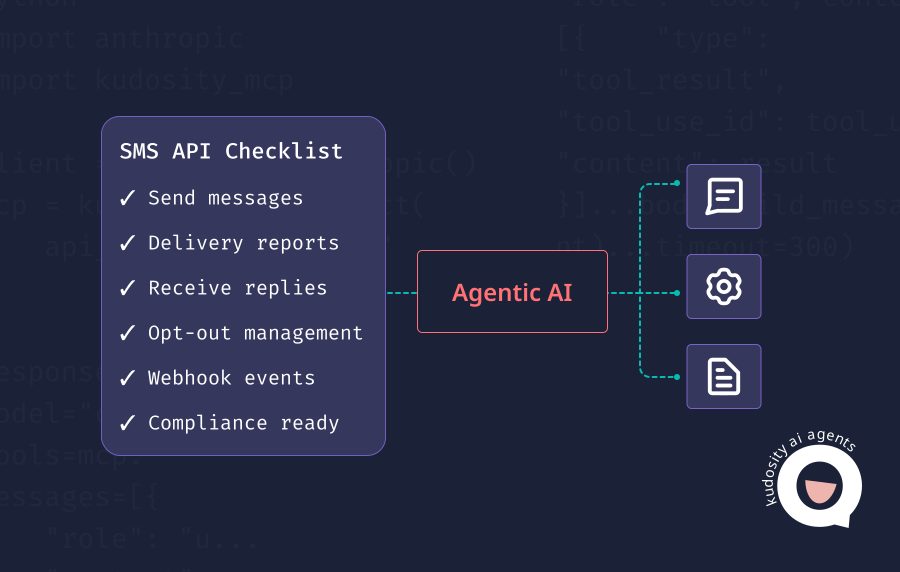
SMS API features checklist for AI agents
If an AI agent is going to communicate with customers, it needs a reliable way to send messages, read what happened next, handle failures, capture replies and trigger the right follow-up. Without that feedback loop, the agent is only making assumptions.
That is why the best SMS API for AI agent workflows is not just the one that can send quickly. It is the one that gives the agent controlled access to delivery events, reply data, opt-out status, error handling and workflow updates.
Why AI agents need more than a send SMS endpoint
A basic SMS endpoint can trigger a message. That is useful, but it is not enough for agentic messaging.
AI agents need to know what happened after the send. Was the message accepted? Was it delivered? Did it fail? Did the customer reply? Did they opt out? Should the agent continue, retry, suppress the contact or hand the conversation to a person?
A practical AI SMS workflow needs to handle:
Delivery events
Failed or undelivered messages
Inbound replies
Opt-outs
Next-step triggers
Workflow updates
Human escalation:
For example, an agent might send a payment reminder. If the message is delivered and the customer replies “already paid”, the agent should classify that reply and route it to billing review. If the message fails, the workflow may need to retry or use another channel. If the customer replies “STOP”, the system needs to update consent before any further commercial messages are sent.
In Australia, that matters because ACMA says commercial electronic messages must have consent, identify the sender and include an unsubscribe option.
Required SMS API features
| Feature | Required | Why it matters |
|---|---|---|
| REST API | Yes | Gives the AI workflow a structured way to send messages from approved backend systems. |
| Delivery reports | Yes | Shows whether the message was delivered, failed, undelivered or still pending. |
| Webhooks | Yes | Pushes real-time events back into the workflow so the agent can act on delivery, replies and failures. |
| Two-way SMS | Yes | Lets customers reply so the agent can classify intent and trigger the next step. |
| Error codes | Yes | Helps the workflow understand why a message failed and whether to retry, suppress or escalate. |
| Opt-out handling | Yes | Prevents the agent from messaging people who have withdrawn consent. |
| Sender ID support | Yes | Helps businesses manage branded or recognisable sender identity, with supported compliance. |
| Templates | Yes | Keeps repeated messages consistent, reviewed and easier to control. |
Kudosity’s developer documentation describes webhooks as a way to notify applications about events such as SMS delivery and incoming messages, with status values including pending, soft-bounce and opt-out flags.
These features are not just technical extras. They are what let an AI agent operate inside a customer messaging workflow without losing visibility or control.
Nice-to-have features
Once the core SMS workflow is working, these features can make AI agent messaging more useful.
MMS, WhatsApp and RCS support
Some customer moments need more than plain text. MMS, WhatsApp and RCS can support richer content, branded messaging or more interactive workflows. Kudosity’s API guidance recommends its newer messaging API (TransmitMessage) for builds that need MMS, WhatsApp, RCS support and API-managed webhooks.
MCP server support
MCP support can help AI tools search documentation, inspect API specs, generate code and work with approved messaging tools. It is useful for development speed, but it should not replace proper API design, permissions and logging.
Link tracking
Link tracking helps teams understand whether a message drove action. This is useful for review requests, payment prompts, abandoned cart workflows and campaign follow-ups.
Contact list management
Contact management helps with segmentation, suppression, preference handling and avoiding repeated messages to the wrong audience.
CRM integrations
AI agents become more useful when SMS activity connects back into the CRM, support desk, booking system or ecommerce platform.
Human handoff
Human handoff is critical when the reply is sensitive, complex or low-confidence. The agent should know when to stop and pass context to a person.
AI workflow examples
Developer resources that show real AI workflow patterns reduce implementation guesswork. Kudosity’s AI agent documentation includes an example flow where an AI workflow decision becomes a channel send and delivery webhooks are correlated back to a system record.
Vendor checklist
Use these questions when comparing SMS APIs for AI agent workflows.
Can the API send SMS from backend workflows?
Can it receive inbound replies?
Does it support delivery webhooks?
Does it return useful failure codes?
Can the workflow track delivered, failed and undelivered messages?
Does it support opt-outs and consent handling?
Can it manage sender IDs or approved sender types?
Can AI-generated messages be logged?
Can replies be routed into a CRM, support desk or internal system?
Can complex replies be handed to a person?
Does the provider offer clear API documentation and test environments?
Does the platform support Australian compliance requirements where relevant?
For Australian businesses, compliance should be checked early. ACMA’s guidance makes clear that SMS and email marketing need consent, sender identification and an unsubscribe option, and the Spam Act 2003 sets rules for commercial electronic messages.
Red flags
Some SMS APIs can send messages, but are not a good fit for AI agents.
Watch for:
No delivery reports
No inbound reply support
Poor or incomplete API documentation
No webhook events
No opt-out handling
No clear compliance support
Unclear sender ID process
Limited error details
No audit trail
No human handoff path
These gaps become more serious when an AI agent is involved. If the agent cannot see failures, replies or opt-outs, it cannot make safe next-step decisions.
What the best SMS API for AI agents should do
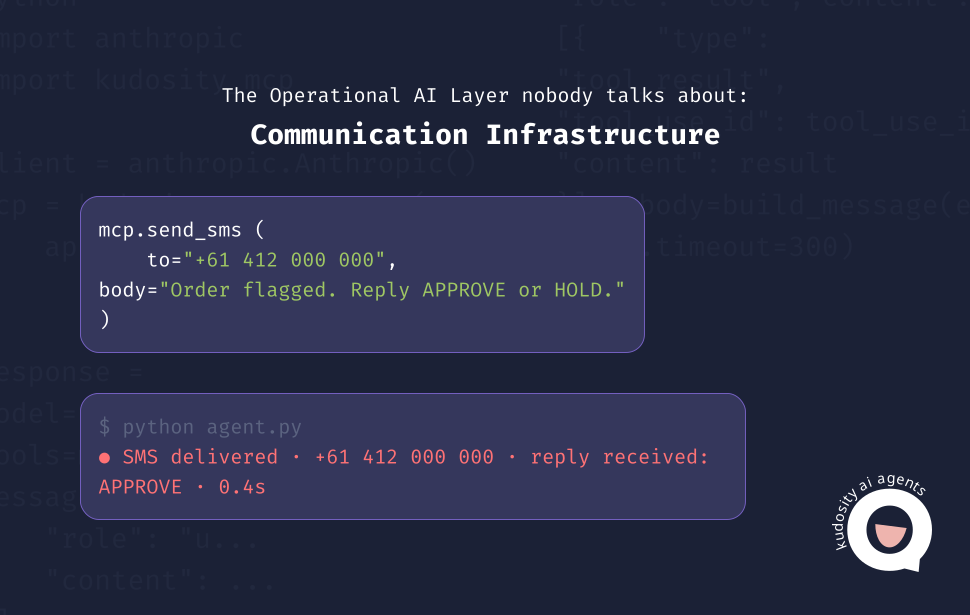
The best SMS API for AI agent workflows should support the full messaging loop.
A useful model looks like this:

AI agent decision
SMS sent
Delivery tracked
Reply received
Intent classified
Next action triggered
That loop gives the agent the signals it needs to act properly. Sending is only one step. The API also needs to support delivery feedback, reply capture, error handling, opt-out control, system updates and escalation.
For Australian businesses, Kudosity is a strong fit where AI agent messaging needs SMS API access, webhooks, delivery reports, inbound replies, opt-out controls, multi-channel options and local business messaging support. Its Australian REST API page references real-time delivery reports, reply notifications and SMS triggers via webhooks, alongside AI agent-triggered messaging.
Explore the Kudosity developer portal
Integrate SMS and MMS into your applications with our flexible API. Our REST SMS API allows seamless integration of SMS capabilities into your applications, whether you're launching a new app or enhancing an existing one.
FAQs
AI agents need REST API access, webhooks, delivery reports, two-way SMS, error codes, opt-out handling, sender ID support, templates, audit logs and human handoff. These features help the agent send messages, understand outcomes and trigger the right next step.
Yes, if the workflow depends on customer replies. Two-way SMS lets the agent receive responses, classify intent and decide whether to automate the next action or escalate to a person.
Webhooks send real-time events back to the workflow. They let the agent know when a message is delivered, failed, undelivered, replied to or opted out. Without webhooks, the agent may not have enough information to act safely.
An SMS API is the technical interface used to send, receive and track messages. A messaging platform includes the broader operating environment around that API, such as reporting, templates, contact management, compliance tools, support, integrations and multi-channel messaging.
Get ready for Australia’s SMS Sender ID Registry
From July 2026, Sender ID registration will be required. ACMA’s final steps are still in progress, but Kudosity will keep you informed and help you be ready when registration opens.
:quality(80))
:quality(80))
:quality(80))
:quality(80))