:quality(80))
Templates for WhatsApp business messaging
WhatsApp Business Templates help businesses send structured messages via the WhatsApp Business Platform.
They are useful when you need to send updates, verification codes, reminders, follow-ups or approved marketing messages at scale. The important detail is that not every WhatsApp business message works the same way. Meta groups WhatsApp Business Platform messaging into four categories: marketing, utility, authentication and service. Pricing is based on who the message is sent to and the message category, with rates varying by market and category.
There is one practical distinction to understand before you start. Utility, authentication and marketing messages usually rely on approved WhatsApp message templates. Service messages are different. They are customer-initiated conversations handled inside the customer service window, rather than templates a business submits in the same way. Meta describes service messages as replies to customer enquiries within a 24-hour customer service window.
For businesses new to WhatsApp Business API, template setup can be one of the first points of friction. Kudosity now has Meta-approved templates ready to use, which helps remove the time and uncertainty of starting every template from scratch.
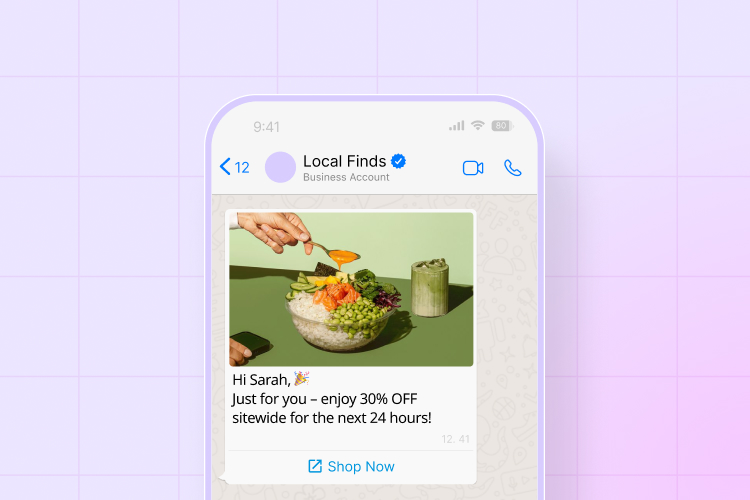
WhatsApp Business Template Types at a Glance
| Template Type | Common Use Case | Industries More Likely to Use It | Pricing Tier | Approval Required | Example Message |
|---|---|---|---|---|---|
| Utility | Transactional updates, reminders, booking confirmations, delivery notices | Retail, ecommerce, healthcare, education, logistics, professional services | Pricing based on workflow, usage and geography. Refer to the WhatsApp pricing article for current details. | Yes, when sent as a business-initiated template | “Hi {{1}}, your order {{2}} has shipped. Track it here: {{3}}.” |
| Service | Customer support replies inside the 24-hour service window | Support teams, healthcare, travel, finance, utilities, government, ecommerce | Pricing based on workflow, usage and geography. Refer to the WhatsApp pricing article for current details. | No template approval required when responding inside the service window | “Thanks for your message. Your appointment is booked for {{1}} at {{2}}.” |
| Authentication | OTPs, login codes, account verification, transaction verification | SaaS, fintech, banking, healthcare, ecommerce, platforms | Pricing based on workflow, usage and geography. Refer to the WhatsApp pricing article for current details. | Yes | “{{1}} is your verification code. For your security, do not share this code.” |
| Marketing | Offers, product launches, abandoned cart reminders, win-back campaigns | Retail, ecommerce, events, hospitality, subscription businesses | Pricing based on workflow, usage and geography. Refer to the WhatsApp pricing article for current details. | Yes | “Hi {{1}}, your favourites are back in stock. Shop now: {{2}}.” |
The main thing to remember is that pricing is not fixed by template type alone. WhatsApp pricing depends on message category, geography, volume and the way the workflow is configured. Meta’s pricing page states that businesses are charged per delivered message, based on recipient and message category.
Utility WhatsApp Message Templates
Utility templates are usually the most practical starting point for businesses.
They are designed for messages connected to an existing customer action, request or transaction. Meta describes utility messages as non-promotional messages that are usually triggered by a user action, such as placing an order or submitting a payment.
These templates suit businesses that need to send useful information without turning every message into a campaign.
Common examples include:
order confirmations
delivery updates
appointment reminders
payment confirmations
account alerts
booking changes
service updates
Ready-to-use utility template example:
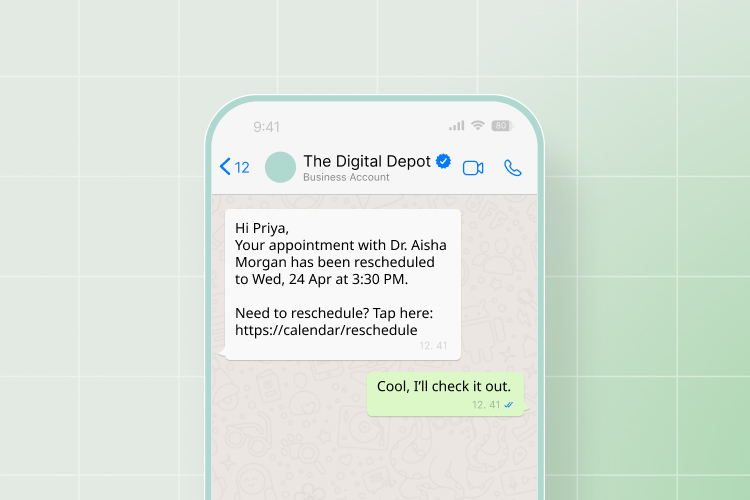
This type of template works because it is specific, expected and tied to a customer action. Avoid adding promotional language to utility templates. If the message includes offers, discounts or product recommendations, it may be treated as marketing instead.
Authentication WhatsApp Message Templates
Authentication templates are used for verification.
These messages help confirm that a customer is who they say they are. Meta describes authentication messages as one-time passwords used for identity verification at different stages of the customer journey.
They are usually short, direct and tightly controlled.
Common examples include:
login codes
password reset codes
account verification
transaction verification
two-factor authentication
Ready-to-use authentication template example:
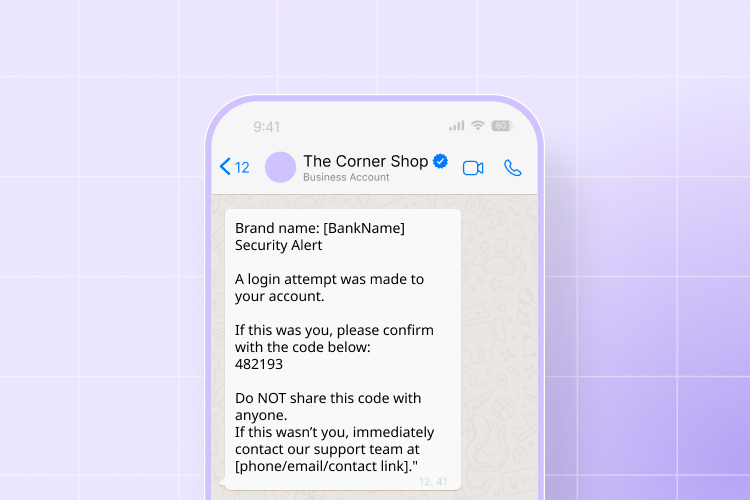
WhatsApp Marketing Templates
WhatsApp marketing templates are used for promotional or revenue-led messages.
These templates can support offers, campaigns, product announcements, abandoned cart reminders and customer re-engagement. Meta says marketing messages can include offers, promos, related product suggestions and abandoned cart reminders.
Marketing is useful, but it should not be the only focus. For many businesses, utility, service and authentication workflows create more consistent value because they sit closer to real customer actions.
Common examples include:
sale announcements
back-in-stock alerts
loyalty offers
abandoned cart reminders
event promotions
new product launches
Ready-to-use marketing template example:
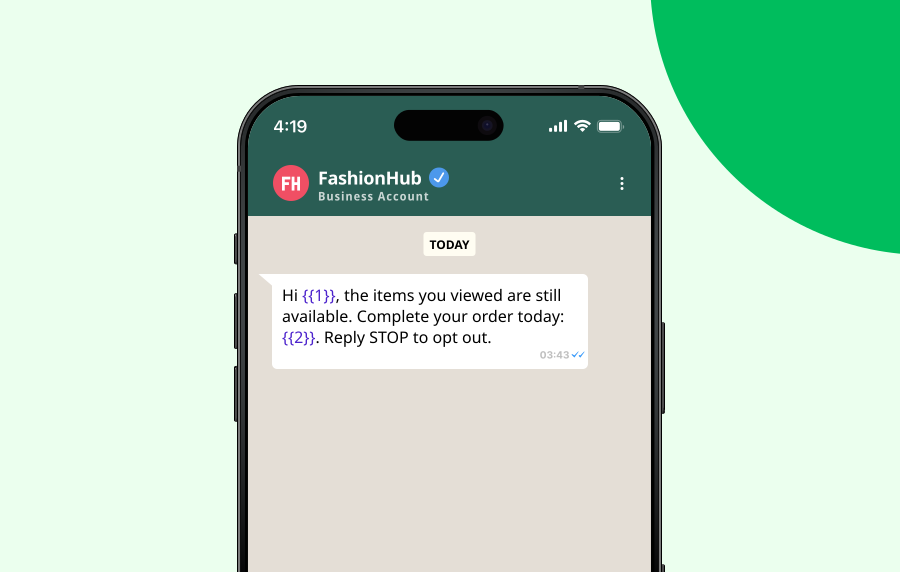 WhatsApp marketing templates should be clear, permission-based and easy to opt out of. For Australian businesses, commercial messages should also be reviewed against local consent and unsubscribe expectations. ACMA says commercial electronic messages must have consent, identify the sender and make it easy to unsubscribe.
Service WhatsApp Business Messaging Category
Service messages are best understood as support conversations, not classic pre-approved templates.
They are used when a customer messages your business first. That action opens a customer service window, allowing the business to respond with service messages. Meta describes this as a 24-hour customer service window that resets with each user message.
Service messaging is useful because it supports real customer conversations without forcing every reply through template approval.
Common examples include:
answering a booking question
resolving a delivery issue
confirming account details
helping with a support ticket
sending follow-up information after an enquiry
Ready-to-use service message example:
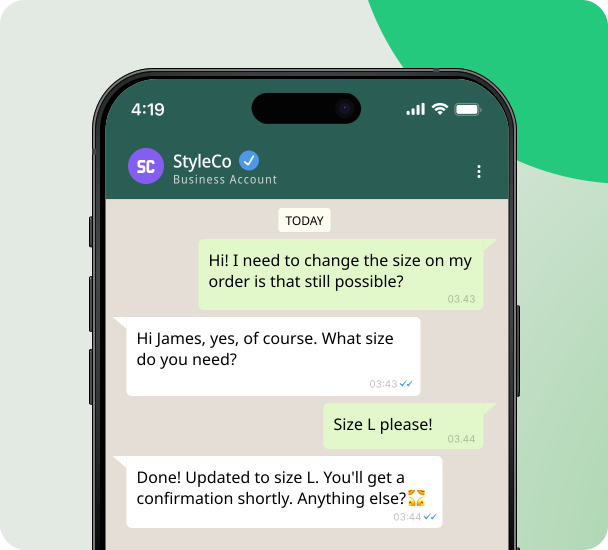 This works best when the reply is genuinely helpful and clearly connected to the customer’s original message.
Why Ready-to-Use Meta-Approved Templates Help
Template approval can slow down a WhatsApp rollout, especially for teams that are new to the WhatsApp Business Platform.
A template can be rejected if the category does not match the content, the message is unclear, or the copy includes promotional language in a non-marketing category. That is why ready-to-use Meta-approved templates are useful. They give teams a cleaner starting point and reduce the time spent rewriting basic utility, service, authentication or marketing flows.
Kudosity’s approved templates are designed to help businesses get started faster while still adapting the message to their brand, workflow and customer journey.
They are particularly useful for:
appointment reminders
order updates
delivery notifications
OTP messages
support follow-ups
re-engagement campaigns
The goal is not to remove judgement. It is to remove unnecessary friction.
How to Get Your WhatsApp Template Approved
Template approval is easier when the message is specific, honest and clearly matched to the right category.
1. Choose the right category
Start by deciding whether the message is utility, authentication or marketing. If it contains promotional language, treat it as marketing. Do not try to force a campaign into a utility template.
2. Keep the purpose obvious
The reviewer should be able to tell why the customer is receiving the message. Vague templates are harder to approve and harder for customers to trust.
3. Use variables carefully
Variables such as {{1}} and {{2}} should make sense in context. Do not leave the template so open-ended that it could be used for unrelated messages.
4. Avoid mixing use cases
Do not combine a delivery update with a discount offer in the same template unless you are prepared for it to be treated as marketing.
5. Make opt-out simple for marketing messages
For WhatsApp marketing templates, include a clear opt-out path where relevant. This is good practice and important for Australian commercial messaging compliance.
6. Start with approved templates where possible
If you are using Kudosity, start with ready-to-use Meta-approved templates where they fit your workflow. It can save setup time and help your team avoid common approval issues.
FAQs
WhatsApp business templates are pre-defined message formats businesses use to send approved messages through the WhatsApp Business Platform. They are commonly used for utility, authentication and marketing messages.
The main approved WhatsApp message templates are utility, authentication and marketing. Service messages are also a WhatsApp Business Platform category, but they usually apply to customer-initiated conversations inside the 24-hour service window rather than template submission.
WhatsApp marketing templates are promotional messages used for offers, product announcements, abandoned carts, win-back campaigns and other revenue-led messages. They require opt-in and must follow WhatsApp and local messaging requirements.
Utility, authentication and marketing templates generally need approval before they can be used for business-initiated messages. Service messages inside the 24-hour customer service window do not work the same way because they are replies to a customer-initiated conversation.
Pricing depends on the message category, recipient geography, usage and workflow setup. Meta charges based on delivered messages and category, and rates vary by market. For exact costs, refer to the WhatsApp pricing article or speak with Kudosity about your use case.
Review the category, wording, variables and use case. If the template contains promotional content, it may need to be submitted as marketing. If the message is unclear, rewrite it so the customer action and message purpose are obvious.
Yes. Kudosity has Meta-approved templates ready to use, which can help reduce setup time and remove some of the friction from the approval process. These can be adapted to your workflow, audience and brand requirements.
Join our Rich Messaging beta testing
Rich messaging combines the simplicity of SMS with the dynamic interactivity of app-like experiences, transforming how brands engage with their audience. With channels like Rich Communication Services (RCS) and WhatsApp.
Transform your customer engagement with richer media, interactivity, and branded experiences.
:quality(80))
:quality(80))
:quality(80))
:quality(80))
:quality(80))
:quality(80))