
Build messaging into your products and workflows
Build booking reminders, delivery updates and two-way conversations into your software with Kudosity’s messaging APIs and webhooks. Use AI coding assistants to help develop your integration, or connect AI agents to messaging tools through Model Context Protocol (MCP).
Keep messaging connected to the work it supports
A booking changes. A delivery is delayed. A customer needs an update. Your application already knows what happened. Connect that event to the right message, then bring delivery information and supported replies back into your workflow.
Kudosity connects SMS, MMS, WhatsApp and RCS through APIs, integrations and AI tools. Channel availability, sender setup and supported capabilities depend on your destination and connection method.
Use the same pattern for order updates, payment reminders and service notifications.
Trigger
 Appointment due
An appointment reminder becomes due.
Your System
 SMS ready to send
Prepares the recipient, sender and message.
Kudosity
 Sender ID registered
Submits the SMS for delivery through the carrier network.
Customer
 Reminder received
Receives the reminder and can reply using a supported number.
Your Workflow
 Reply → Next action
Processes delivery events and replies to determine the next action.
A booking confirmation two ways
Send a booking confirmation from your application, or prepare the same message in a connected AI assistant.
These examples show one SMS send; your application or agent workflow provides the booking trigger.
Send through the SMS API
POST /v2/sms HTTP/1.1
Host: api.transmitmessage.com
Accept: application/json
Content-Type: application/json
X-Api-Key: ••••••••

{
  "message": "Your booking is confirmed for Friday at 10 am.",
  "message_ref": "booking-123",
  "sender": "YOUR_SENDER",
  "recipient": "61412345678"
}Prefer a ready-made platform?
Your team can send campaigns, reminders and two-way conversations from Kudosity, and measure the engagement they drive. No development work needed.
Connect your way
Kudosity supports businesses that embed messaging in software, resell SMS services or refer customers.
Choose the approach that fits your offering and how you want to work with your customers.


Build directly with messaging APIs and webhooks
Connect Kudosity to your application, booking platform or internal system. Send messages from business events and use supported webhooks to bring delivery information and inbound messages into your application.
Connect messaging to AI agents with MCP
Connect a compatible AI assistant or agent to tools that send messages, look up message status and manage webhooks through Kudosity’s installable MCP server. For example, an agent could prepare a customer update, send it after your approval and check its delivery status. Configure credentials, recipient checks and approval steps for your workflow.


Connect the platforms your team already uses
Explore Salesforce and Shopify integrations, HubSpot messaging through Sublime X, and automation options including Make and Zapier. Choose the connection that fits your workflow, then confirm its supported triggers, actions and messaging capabilities.
Build with Claude Code, Cursor or Gemini CLI
Use Kudosity’s API documentation and Agent Skills to help your coding assistant build messaging into your application. The skills provide guidance on authentication, message formats, channels and webhooks.
Your application can still use direct API calls and webhooks in production.

Plan your messaging integration
APIs for new and existing integrations
TransmitMessage V2 is the recommended starting point for new builds. Existing TransmitSMS V1 integrations remain supported.

Delivery events connected to your records
Use message IDs and supported webhooks to track message status. V2 also supports your own message reference, helping you relate events to an order, booking or other record.
Two-way SMS where replies matter
Use a reply-capable number to bring customer responses into your application. Alphanumeric sender names cannot receive replies.
Channels matched to your requirements
Choose SMS for reminders, updates and two-way messaging, or explore MMS, WhatsApp and RCS. MMS is available through V2 for delivery in Australia.
 Connect
Get your first workflow working
Build and test a direct integration, or connect the recommended MCP server, then prepare, approve and send a test message to your own phone. Check the actual delivery status first.
Manage messaging across your customers
Keep customer accounts separate, with account-level access, usage reporting and billing options.
Know what happens after you send
- AU BasedAustralian SMS infrastructureSMS data stored and processed in Australia.
- DirectNo grey routesDirect carrier connectivity for SMS.
- 24/7Tier 1 supportEvery day of the year. Backed by our Australian support team.
Capacity for high-volume workflows
Plan for everyday messaging and peak demand, with throughput options matched to your application’s needs.
Make delivery information useful
An accepted API request is the beginning of the delivery process. Use message-status events to identify failures, surface exceptions and decide when follow-up is needed. An SMS delivery report does not prove that someone read the message.
Give security reviewers evidence they can assess
ISO 27001:2022 certified and independently audited against SOC 2 Type II standards. Access security documentation through our Trust Centre.
Consider sender requirements from the start
The right sender setup depends on where you send, which channel you use and whether customers need to reply. Account for consent, opt-outs and the messaging rules that apply to your use case.
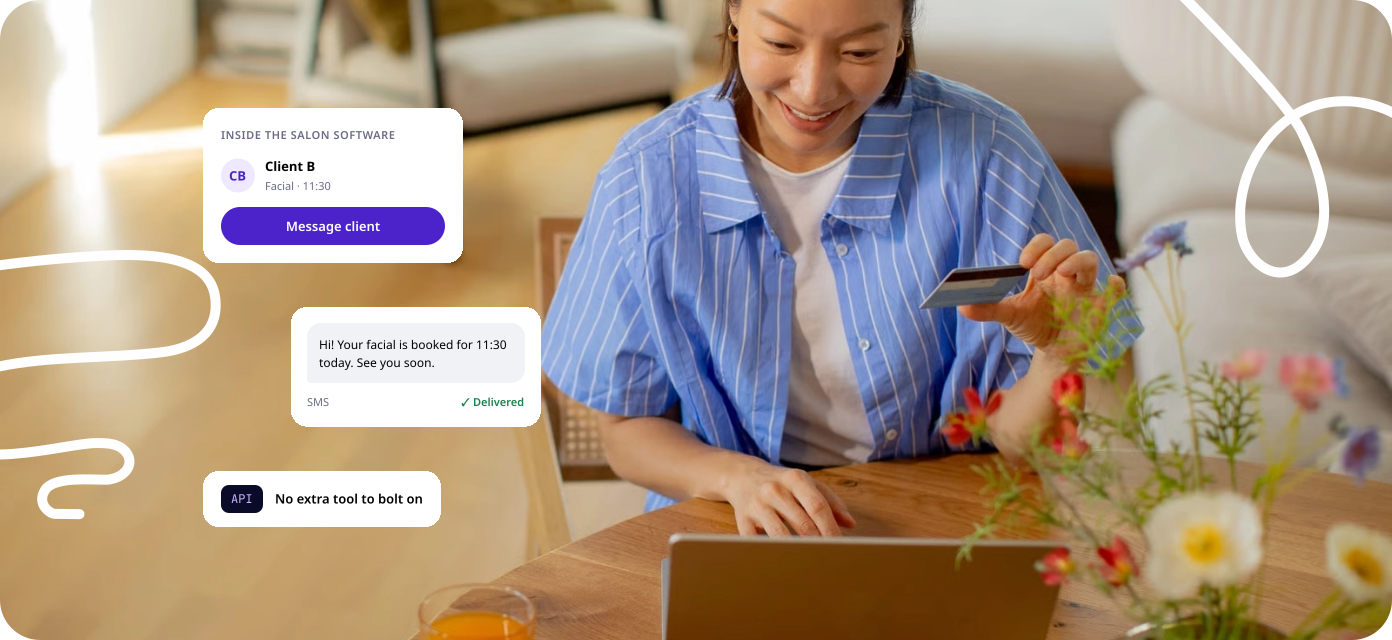
Messaging built into salon software
Simple Salon is salon and spa management software. Working with Kudosity, they integrated SMS messaging through APIs so
salon owners can message clients without bolting on another tool.
Pricing built around your platform
Get pricing tailored to your messaging volumes, destinations and platform requirements. Tell us what you’re building and we’ll help you find the right commercial fit, with clear rates and costs as you grow.
SMS is charged per message part. Message length and encoding can affect the number of parts sent.
Offering messaging to your customers?
Explore partnership options for embedding messaging into your software, reselling under your brand or referring customers.
Good questions
An SMS API integration connects a software application to a messaging service so it can send or receive text messages programmatically. With Kudosity, you can trigger messages from application events and use supported webhooks to return delivery information and replies to your systems. See what to look for in an SMS API.
For new builds, Kudosity recommends TransmitMessage V2. TransmitSMS V1 remains supported and may suit existing integrations or requirements such as single-request multi-recipient sending. The developer documentation compares their capabilities and authentication methods.
Yes, using a reply-capable number and supported inbound-message configuration. Alphanumeric sender names cannot receive replies. Number availability and requirements vary by destination.
Yes. Connect a compatible assistant to Kudosity’s MCP server for messaging tools, or call the messaging APIs from an agent in your own application. An AI coding assistant can also help you build a direct API integration. These are different approaches: choose the one that fits your workflow, with appropriate permissions, approval steps and error handling. Send your first message with AI.
Read how to add SMS to your AI agents, or compare MCP servers for SMS.
Yes. Follow the developer getting-started guides to test sending and delivery-status handling before connecting a production workflow. Tests can send real, chargeable messages. Account, sender, recipient and credit requirements apply, and trial accounts have specific restrictions.
Kudosity supports international SMS delivery. Check coverage, sender options, registration requirements and pricing for each destination. Additional messaging channels have their own availability and setup requirements.
Check out our Global Delivery List.
Start here if you need to assess architecture, APIs or messaging workflows. If you want to resell messaging, offer a branded service or discuss a commercial platform partnership, explore the Partner program. A project can involve both teams.
Start with one
useful workflow
Tell us what you’re building. We’ll guide you through integration, sender
requirements and testing your first workflow.