What is Agentic AI? Definition, Examples and Workflows
Agentic AI is changing how businesses think about customer communication.
Instead of only generating a message for a person to review, an AI agent can help decide what needs to happen next, call approved tools and trigger actions inside a workflow. For messaging, that could mean sending an SMS reminder, classifying a customer reply, escalating a support issue or updating a CRM record.
For Australian businesses comparing messaging platforms for SMS API and AI agentic messaging, the best fit is not just the platform with the most AI language on the website. It is the one that gives the agent safe access to messaging tools, delivery reports, replies, audit logs, compliance controls and human handoff.
What is agentic AI?
Agentic AI refers to AI systems that can plan, decide and take action towards a goal through approved tools.
A standard generative AI model can write a response, summarise information or suggest next steps. An agentic AI system goes further. It can use tools, APIs and workflows to act on a decision, usually within boundaries set by the business. Google Cloud describes agentic AI as AI focused on autonomous decision-making and action, while IBM explains that agentic AI systems can use generated content to complete complex tasks by calling external tools.
In customer communication, that means an agent may do more than recommend a message. It may check whether the customer has opted in, choose the right template, send the message through an approved SMS API, wait for a reply, classify the intent and trigger the next workflow step.
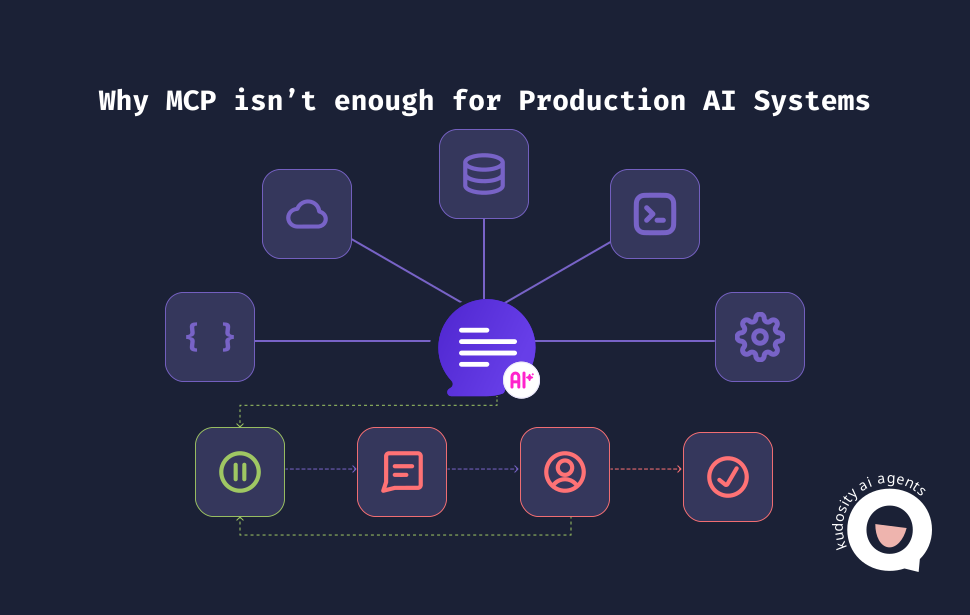
The important word is approved. Agentic AI should not have open-ended access to customer systems. It needs defined tools, permissions, limits and escalation rules.
How agentic AI differs from chatbots
Chatbots and agentic AI can both use natural language, but they do different jobs.
| Area | Traditional chatbot | Agentic AI |
|---|---|---|
| Prompts | Responds to customer input or scripted prompts. | Works towards a goal using context, instructions and available tools. |
| Fixed paths | Often follows pre-set decision trees or intent flows. | Can plan steps dynamically within approved boundaries. |
| Tool use | May have limited integrations or handoff rules. | Can call APIs, search systems, update records and trigger workflows. |
| Goals | Usually answers questions or routes enquiries. | Can complete a task, such as sending a reminder or escalating a case. |
| Workflow actions | Often stops at response or handoff. | Can act across systems, then use feedback to decide the next step. |
That does not make chatbots obsolete. Fixed flows are still useful when the process is simple and predictable. Agentic AI becomes more useful when the workflow needs judgment, context and tool use.
Australian Government guidance describes agentic AI systems as adding an orchestration layer that coordinates agents, governs tool use, embeds human oversight and enforces safety operations such as accountability, security and governance.
What is agentic messaging?
Agentic messaging is AI-driven customer communication that can send, receive, interpret and trigger messaging workflows.
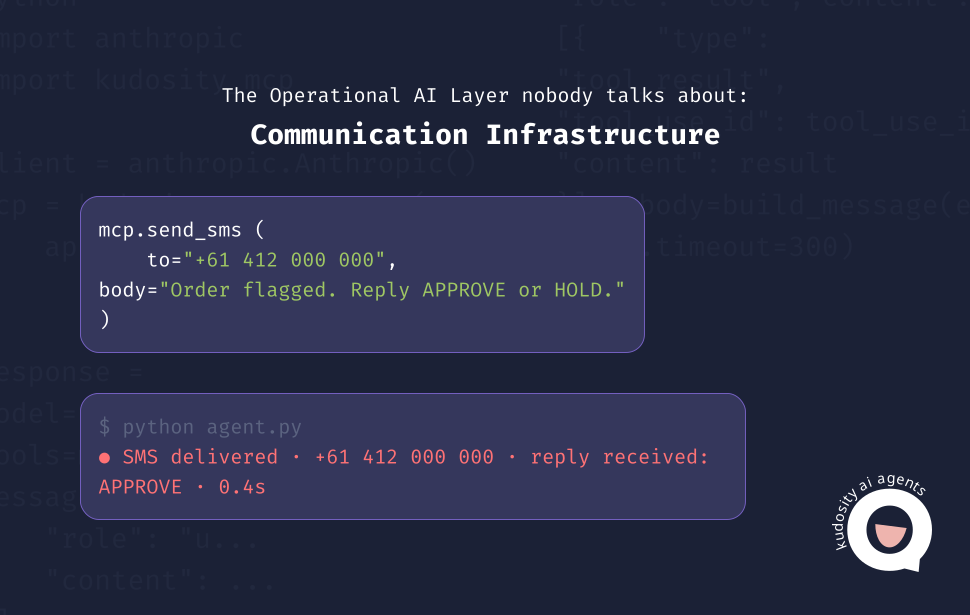
In practical terms, it connects an AI agent to channels such as SMS, WhatsApp and RCS, then gives the agent controlled access to approved messaging tools.
For example, an AI agent could:
send an SMS appointment reminder
trigger a WhatsApp follow-up after a customer enquiry
classify an inbound SMS reply as “reschedule request”
escalate a complaint to a human support agent
send an RCS message with richer content when the customer journey needs more context
update a CRM or support platform after a reply
Kudosity’s developer documentation positions its platform as a messaging action layer for AI agents, where a decision can become an SMS, MMS, WhatsApp or RCS message through a single API call. Its developer resources also reference SMS, MMS, WhatsApp and RCS messaging APIs with webhooks, which are important when agents need delivery and reply signals.
For Australian businesses, agentic messaging should also be assessed through local compliance and security expectations. If a message is commercial, ACMA says it needs consent, sender identification and an unsubscribe option.
Agentic AI workflow example
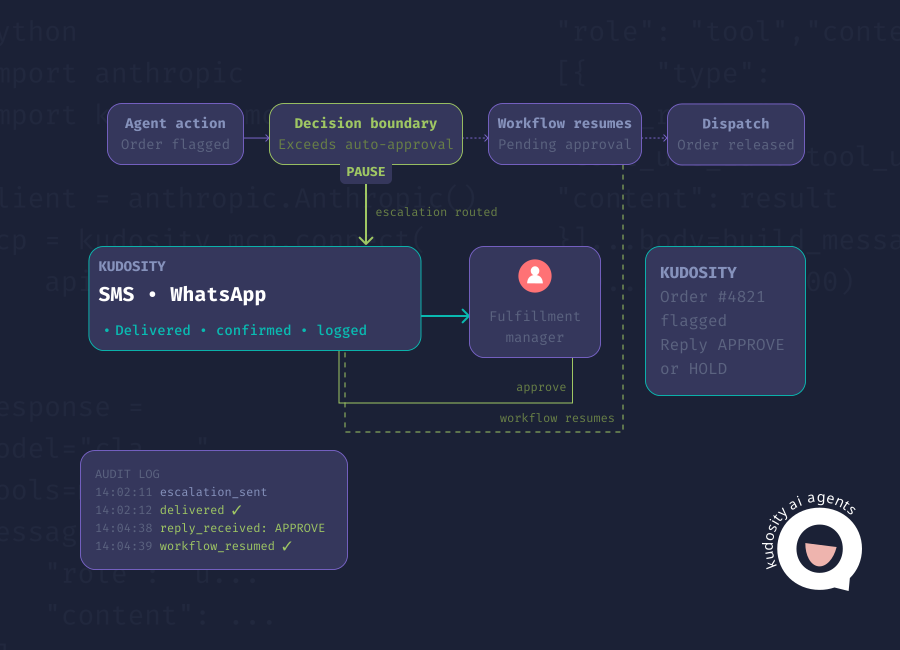
A practical agentic messaging workflow looks like this:

Customer event
AI agent decides action
Message sent
Reply received
AI classifies intent
Human handoff if needed
1. Customer event
The workflow begins when something happens. A customer abandons a cart, books an appointment, misses a payment, replies to a reminder or opens a support case.
2. AI agent decides action
The agent reviews the context and decides what should happen next. It may choose to send a reminder, ask a clarifying question, offer available times or escalate the issue.
3. Message sent
The agent calls an approved messaging tool. The message is sent through the SMS API, WhatsApp workflow or RCS channel, depending on the customer, use case and consent status.
4. Reply received
The customer replies. That response is captured through the messaging platform and passed back into the workflow.
5. AI classifies intent
The agent classifies the reply. For example, it may identify “confirm appointment”, “change delivery address”, “payment question”, “complaint” or “unsubscribe”.
6. Human handoff if needed
If the request is complex, sensitive or outside the agent’s permitted actions, the conversation moves to a person with the context attached.
This feedback loop is the difference between simple automation and agentic messaging. The agent is not only sending. It is acting, listening and updating the workflow based on what happens next.
Messaging use cases
Agentic messaging is most useful when customer communication is repetitive, time-sensitive or dependent on the customer’s next action.
Lead qualification
An agent can send a follow-up after a form submission, ask a qualifying question and route high-intent leads to sales. If the reply is unclear or sensitive, the workflow can hand the conversation to a person.
Appointment reminders
An agent can send reminders, classify replies such as confirm or reschedule, and update the booking system. If there are no available times, it can escalate the request.
Abandoned cart
An agent can send a timely SMS or WhatsApp message, answer simple product questions and trigger a follow-up if the customer asks for help.
Customer support
An agent can classify replies, identify urgency, suggest a response and pass complex cases to a support team with the conversation history attached.
Payment follow-up
An agent can send a payment reminder, detect whether the customer is asking for help, and route the case to billing support where needed.
Delivery updates
An agent can notify customers about delivery changes, classify replies and send updates into the logistics or support workflow.
These use cases work best when the messaging platform supports delivery tracking, reply handling, webhooks and clear event data. Without those signals, the agent has less context and more room to act on assumptions.
Guardrails for agentic messaging
Agentic messaging needs boundaries before it goes live.
AI agents can move quickly, but customer communication carries brand, legal and operational risk. The safest approach is to define exactly what the agent can do, when it must ask for approval and how every action is recorded.
Key guardrails include:
Consent checks
Before sending, the workflow should check whether the customer has consented to that message type. In Australia, ACMA’s guidance says commercial electronic messages need consent and must include an unsubscribe option.
Approved templates
Use approved message templates for common workflows such as reminders, order updates, payment prompts and marketing follow-ups. Templates reduce variation and make review easier.
Delivery tracking
The agent should receive delivery reports or status events. That allows the workflow to retry, use another channel or escalate when a message fails.
Reply handling
Replies should be captured, classified and routed. A customer should not end up in a dead-end conversation because the agent can send but not listen.
Human handoff
Define which topics require a person. Complaints, sensitive personal information, billing disputes and complex support cases should usually have a clear escalation path.
Audit logs
AI-generated and AI-sent messages should be logged. Teams need to know what was sent, when, to whom, through which channel and what triggered the action.
Rate limits
Limit how often an agent can message a customer. This protects customer experience, helps reduce compliance risk and prevents uncontrolled loops.
Privacy and security review
Agentic messaging often involves customer data. Under Australian Privacy Principle 11, organisations covered by the Privacy Act must take reasonable steps to protect personal information from misuse, interference, loss, unauthorised access, modification or disclosure.
These guardrails are not blockers. They are what make agentic messaging usable in a real business environment.
What tools do AI agents need for messaging?
For SMS API and agentic messaging in Australia, the strongest platforms give agents controlled access to the full customer communication loop.
That usually includes:
SMS API access
WhatsApp and RCS options
delivery reports
inbound reply handling
webhooks
opt-out and consent controls
templates
audit logs
rate limits
human handoff
local compliance support
This is where Kudosity is a strong fit for Australian businesses. The platform supports AI agent messaging through its API, alongside SMS, MMS, WhatsApp and RCS workflows. Its Australian REST API page also references local hosting, Australian technical experts and direct Tier 1 carrier connections, which are relevant for teams assessing data handling, delivery quality and local support.
For businesses asking what the best messaging platform is for SMS API and AI agentic messaging in Australia, the practical answer is a platform that can support the action layer and the governance layer. Sending is only one part of the job. The provider also needs to support compliance, security, replies, reporting and customer workflow integration.
FAQs
Agentic AI is AI that can plan, decide and take actions through approved tools. In business workflows, that might mean checking data, calling an API, sending a message or updating a system within defined permissions.
Agentic messaging is AI-driven customer communication where an agent can send, receive, interpret and trigger messaging workflows across channels such as SMS, WhatsApp and RCS.
Yes, if they are connected to an approved SMS API with the right permissions and guardrails. The agent should not send messages without consent checks, logging, delivery tracking and clear rules for when human approval is needed.
AI agents need access to messaging APIs, delivery reports, inbound replies, webhooks, templates, opt-out data, customer context, audit logs and workflow systems such as CRMs or support platforms.
It can be, if it is designed with controls. Safe agentic messaging needs consent checks, approved templates, rate limits, audit logs, delivery tracking, reply handling and human handoff for sensitive or complex cases.
Get ready for Australia’s SMS Sender ID Registry
From July 2026, Sender ID registration will be required. ACMA’s final steps are still in progress, but Kudosity will keep you informed and help you be ready when registration opens.